
1 For Distributor Instructions
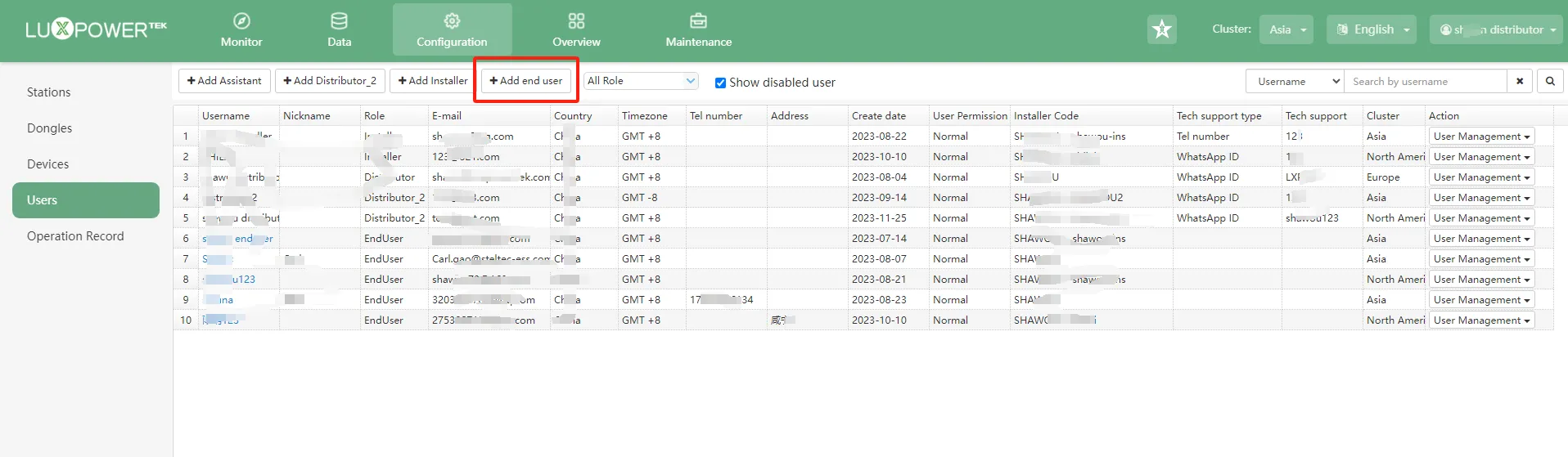
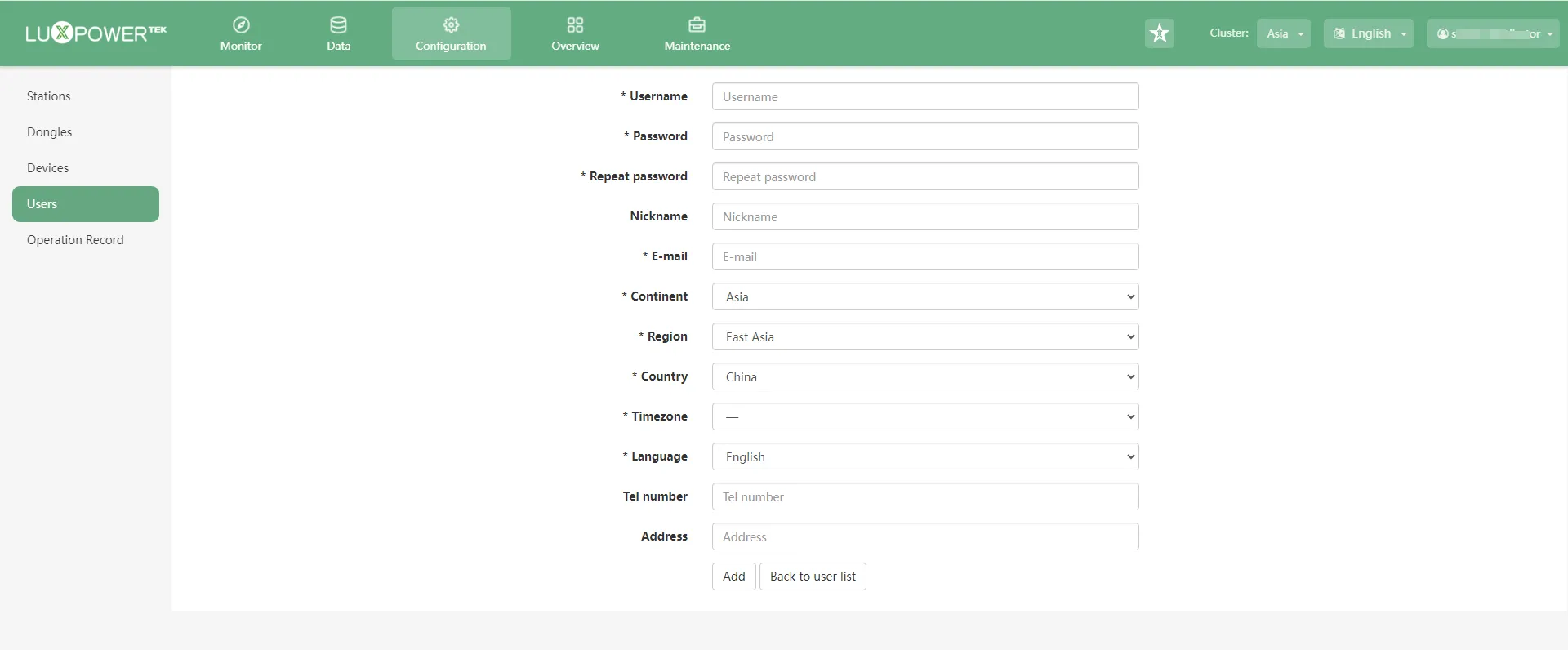
1.1 After logging into distributor your account, go to the “Configuration” section and select “Users.” You can directly click “Add End User.” This action does not require an installer code.
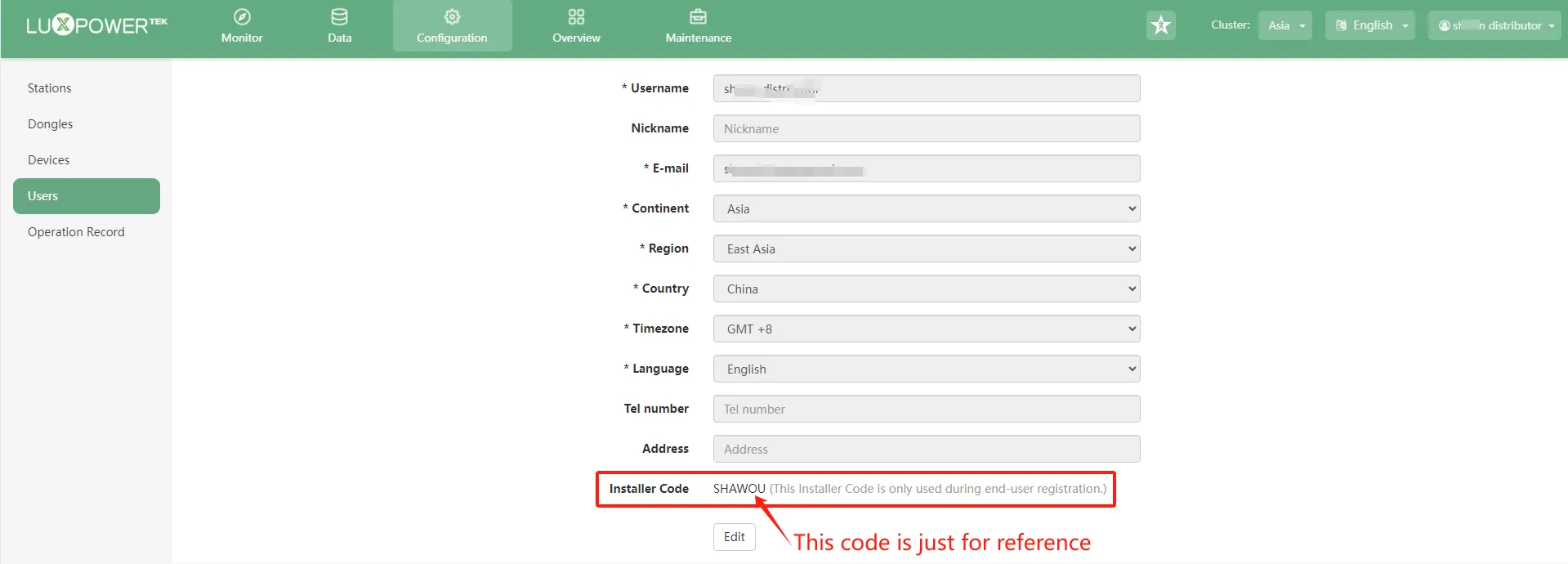
1.2 If you are selling directly to an end user and they wish to register on their own, go to the “User Center” to find your Own installer code. Provide this code to the end user.
2 For Installer Instructions
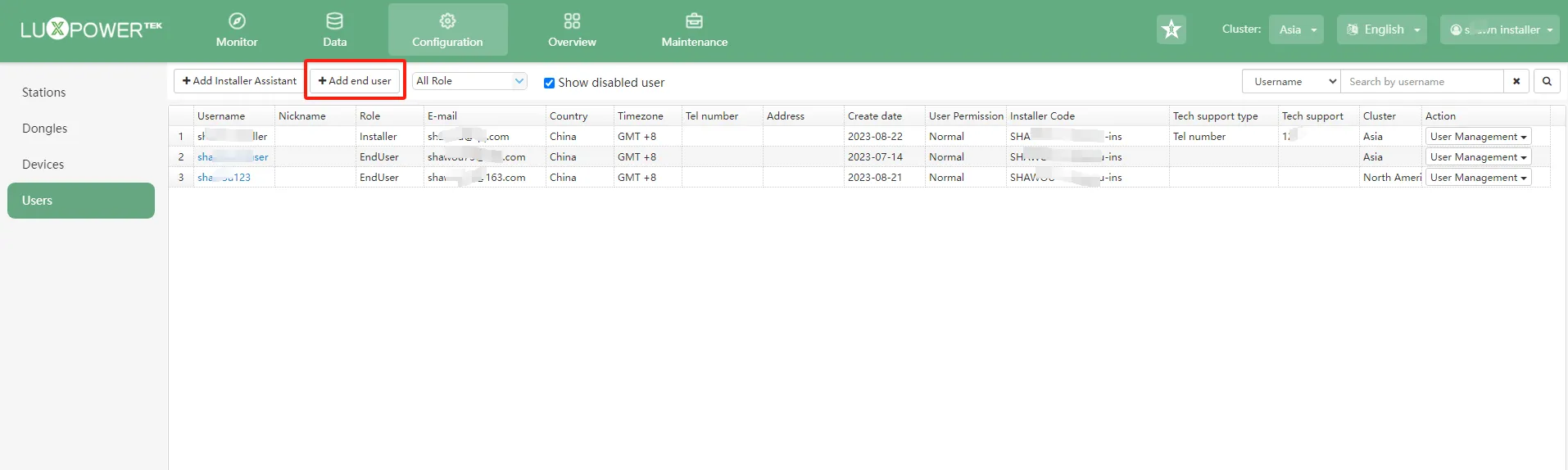
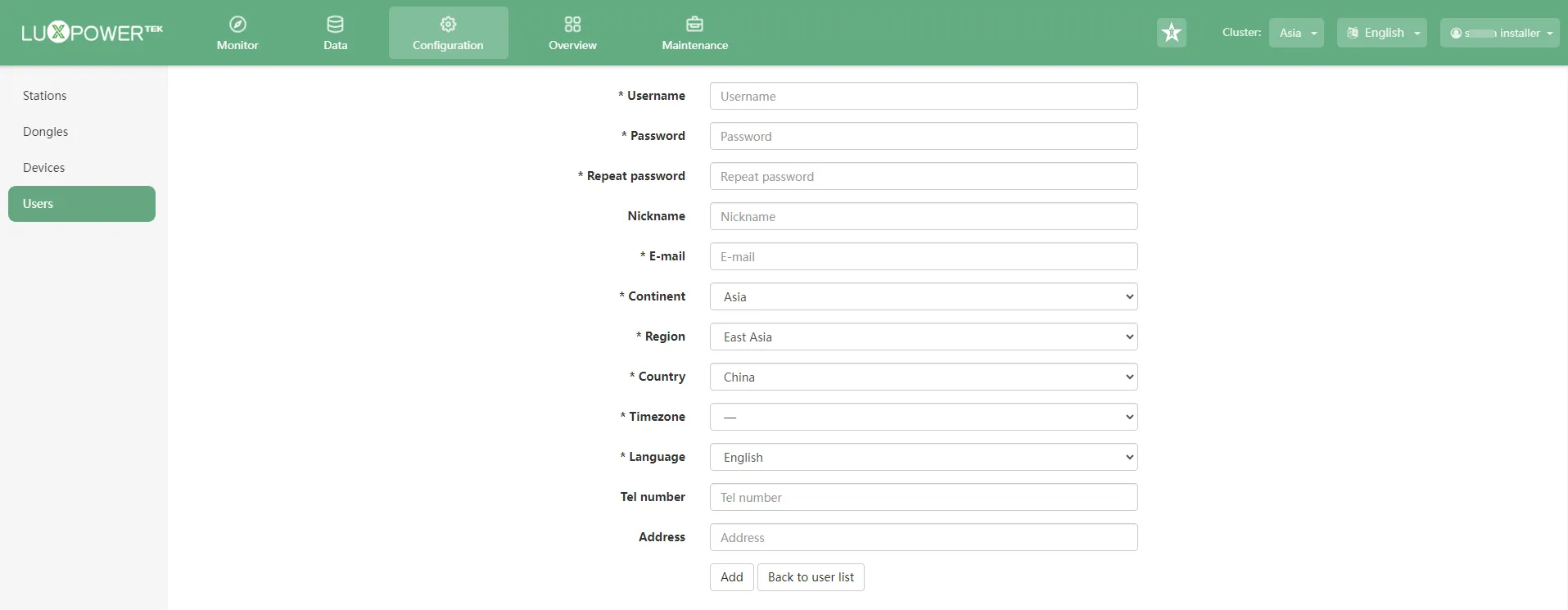
2.1 After logging into your installer account, go to the “Configuration” section and select “Users.” You can directly click “Add End User.” This action does not require an installer code.
2.2 As an installer, you can follow the same steps as the distributor (refer to 1.2) to obtain the installer code and provide it to the end user for their registration.